Building or renovating a home is more than just choosing paint colors or furniture—it's about creating a space that grows with you, adapts to your daily routines, and keeps you safe. In the world of whole-house customization, where every detail is tailored to fit your lifestyle, one aspect often gets overlooked until it's too late: the electrical cable system. Think of it as the "nervous system" of your home—quietly working behind the walls to power your devices, light up your rooms, and connect your smart home gadgets. Get it wrong, and you might face flickering lights, overloaded circuits, or even safety hazards. Get it right, and you'll enjoy a seamless, efficient, and future-proof home for years to come.
In this guide, we'll walk through the best practices for designing and installing electrical cable systems in a customized home. From planning and component selection to room-specific tips and safety standards, we'll cover everything you need to know to ensure your home's electrical backbone is as reliable as it is adaptable. Along the way, we'll also touch on how partnering with the right suppliers—whether it's a trusted distribution box supplier, switches & socket supplier, or cables supplier—can make all the difference in achieving a system that meets your needs today and tomorrow.
Whole-house customization is all about personalization. Maybe you're a remote worker who needs a home office with 10+ devices plugged in at once. Or a growing family that wants to future-proof for a home theater, smart appliances, or even a home gym. Whatever your vision, your electrical system is the foundation that makes it all possible. Unlike generic homes, where electrical layouts are often "one-size-fits-all," a customized home demands a system that's designed around your habits. That means extra outlets in the right places, cables that support high-speed internet, and safety features that protect your loved ones.
But here's the catch: electrical systems are mostly hidden. Once the walls are closed up, fixing mistakes—like adding an outlet or upgrading a cable—becomes costly and disruptive. That's why planning is key. A well-designed system not only prevents headaches down the line but also adds value to your home. Real estate experts often note that homes with modern, flexible electrical systems are more attractive to buyers, as they signal a space that's ready for today's tech-driven lifestyle.
The biggest mistake homeowners make is waiting until construction is underway to think about electrical systems. By then, it's too late to reroute cables or add extra circuits without tearing down walls. Instead, start planning during the design phase , ideally with a licensed electrician and your interior designer. Here's how to approach it:
Map Your Daily Habits: Ask yourself: Where do you charge your phone? Do you need a dedicated circuit for your kitchen's air fryer and coffee maker? Will your home office have multiple monitors and a printer? Jotting down these details helps your electrician determine how many outlets, switches, and circuits you'll need in each room.
Think About "Dead Zones": We've all experienced it—a cozy reading corner with no nearby outlet, or a kitchen counter where the toaster and blender have to share a single plug. Walk through your home's floor plan and mark where you'll need power. Don't forget "hidden" areas like under-cabinet lighting in the kitchen, USB ports in nightstands, or outdoor outlets for holiday lights.
Plan for Growth: Even if you don't own a smart home device now, you might in five years. Leave extra capacity in your distribution box (more on that later) and run high-speed Ethernet cables (Cat6 or higher) to key rooms. A good rule of thumb: Add 20% more outlets than you think you need. You'll thank yourself when you're hosting a party and everyone needs to charge their phones.
A reliable electrical system is only as good as its parts. Let's break down the essential components and how to choose them:
Cables are the workhorses of your electrical system, carrying power from the main supply to every corner of your home. Not all cables are created equal, though. The type, size, and material you choose depend on the load (how much power is needed) and the environment (e.g., damp areas like bathrooms vs. dry spaces like bedrooms).
When selecting a cables supplier, look for options that meet local safety standards (e.g., IEC, NEC) and are rated for your home's voltage. Copper cables are the most common choice for residential use due to their conductivity and flexibility, but aluminum cables can be more affordable for low-load areas. Below is a quick comparison of common cable types:
| Cable Type | Material | Common Sizes (mm²) | Typical Applications | Why It Matters |
|---|---|---|---|---|
| THHN/THWN-2 | Copper | 1.5, 2.5, 4 | General wiring (outlets, switches, lights) | Heat-resistant and flexible; ideal for hidden wiring in walls |
| NM-B (Romex) | Copper | 2.5, 4, 6 | Dry indoor spaces (living rooms, bedrooms) | Pre-insulated with a protective sheath; easy to install |
| MC Cable | Copper (with metal armor) | 2.5, 4, 6 | Damp areas (basements, garages) or exposed wiring | Metal armor protects against damage and pests |
| Cat6 Ethernet | Copper (twisted pair) | N/A (gauge: 23 AWG) | High-speed internet, smart TVs, home offices | Supports speeds up to 10 Gbps; future-proofs for streaming and gaming |
The distribution box (also called a breaker box or consumer unit) is where your home's main power supply is split into individual circuits, each protected by a breaker. Think of it as the "traffic cop" of your electrical system, preventing overloads by shutting off power to a circuit if it draws too much current.
When choosing a distribution box supplier, prioritize units with enough slots for circuits (called "ways"). A typical 3-bedroom home might need 16–20 ways, but if you're adding smart home features or high-load appliances, opt for 24–30 ways. Look for boxes with labeled breakers (so you know which circuit controls what) and surge protection to shield your devices from power spikes.
Switches and sockets are the only parts of your electrical system you'll actually see daily, so they should be both functional and stylish. A good switches & socket supplier will offer a range of designs—from sleek matte black to classic white—and features like USB ports, dimmers, or smart controls (e.g., Wi-Fi-enabled switches that work with Alexa or Google Home).
For high-traffic areas like kitchens and living rooms, choose sockets with child-safe shutters to prevent curious little fingers from poking in. In bedrooms, USB-C ports built into sockets can eliminate the need for bulky adapters. And don't underestimate the impact of dimmers: they're a simple way to adjust lighting for movie nights, dinner parties, or lazy Sunday mornings.
Every room in your home has unique electrical needs. Here's how to customize the system for each space:
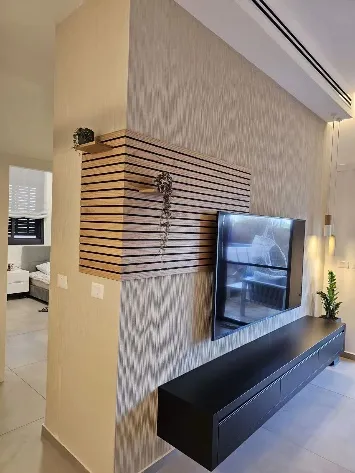
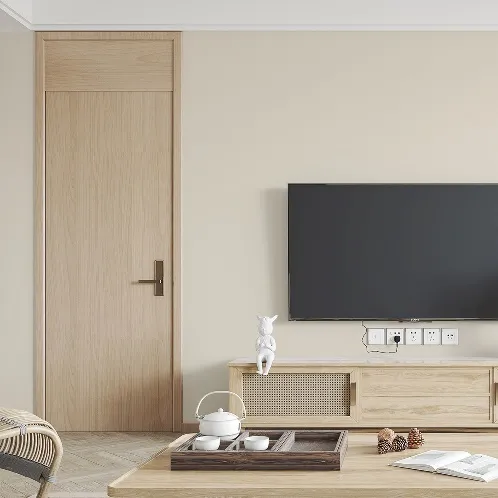
The living room is where you'll gather with family, stream movies, and host guests—so it needs plenty of power and flexibility. Install outlets every 6 feet along the walls to avoid stretching extension cords across the floor. For your TV area, run HDMI and Ethernet cables through the wall (using cable management kits) to keep wires hidden, and add a dedicated circuit for your TV, sound system, and gaming console to prevent overloads. Don't forget floor outlets if you have a coffee table—they're perfect for charging laptops or plugging in a table lamp.
Kitchens are power-hungry spaces, with refrigerators, ovens, microwaves, and blenders all competing for juice. To avoid tripped breakers, install dedicated circuits for major appliances: 20-amp circuits for refrigerators and dishwashers, and 30-amp circuits for electric ovens or ranges. Outlets should be no more than 4 feet apart along countertops (per electrical codes) and include GFCI (Ground Fault Circuit Interrupter) protection to prevent shocks near water. Under-cabinet lighting is another must—LED strips are energy-efficient and add a warm glow to your workspace.
Bedrooms are all about comfort, so focus on convenience and ambiance. Install outlets on both sides of the bed (ideally with USB ports) for charging phones, tablets, or bedside lamps. Dimmer switches for overhead lights let you adjust brightness, and a separate circuit for air conditioners or heaters ensures they don't interfere with other devices. If you have a walk-in closet, add motion-sensor lights to save energy—they'll automatically turn on when you open the door and off when you leave.
With more people working from home, a functional home office is non-negotiable. Start with a dedicated circuit for your desk area to avoid power fluctuations that could crash your computer. Install multiple outlets (or a power strip with surge protection) for your laptop, monitor, printer, and desk lamp. Run Ethernet cables to your desk for faster, more reliable internet than Wi-Fi, and consider adding a USB-C port for charging your phone or tablet. If you video conference often, install a ring light or overhead lamp with adjustable brightness to ensure you're well-lit.
Bathrooms are damp environments, so safety is critical here. All outlets must be GFCI-protected to shut off power if water comes into contact with electricity. Install outlets at least 3 feet away from water sources (tubs, showers, sinks) and avoid using extension cords. For lighting, combine overhead lights (for overall brightness) with vanity lights (to reduce shadows when grooming). If you have a heated towel rack or a bidet, ensure they're on their own dedicated circuits to prevent overloading.
When it comes to electrical systems, cutting corners on safety is never worth it. Faulty wiring is a leading cause of home fires, so always adhere to local building codes and work with licensed professionals. Here are key safety practices:
Use Class A Fire-Rated Materials: Look for cables and distribution boxes with Class A fire ratings, which means they resist combustion and limit the spread of fire. Reputable suppliers (like your distribution box supplier) will provide products with certifications from organizations like UL or CE.
Grounding is a Must: All outlets should be grounded (three-prong) to protect against electric shock. If your home is older, upgrade to grounded outlets—this is often required by code and is a simple way to boost safety.
Regular Inspections: Even the best systems need check-ups. Schedule a professional inspection every 5–10 years to look for frayed wires, loose connections, or outdated components. This is especially important if you're buying an older home and customizing it.
Technology evolves faster than we can keep up, but your electrical system can be designed to adapt. Here's how to future-proof:
Smart Home Ready: Run extra Ethernet cables to key rooms (living room, home office, master bedroom) for smart hubs, security cameras, and future devices. Cat6 or Cat7 cables support speeds up to 10 Gbps, which will handle even the most data-hungry gadgets.
Extra Capacity in the Distribution Box: As mentioned earlier, choose a distribution box with more circuits than you need today. Adding a smart refrigerator or electric vehicle charger down the line will require new circuits, and having empty slots in the box makes this easy.
Upgradeable Switches & Sockets: Opt for modular switches and sockets that can be updated without rewiring. Many switches & socket suppliers now offer "smart-ready" models that can be paired with Wi-Fi modules later, letting you add voice control or app integration as your needs change.
The success of your electrical system depends on the quality of the components, which is why choosing the right suppliers is so important. Here's what to look for:
Reliability: A good supplier has a track record of delivering on time and honoring warranties. Check online reviews or ask for referrals from your electrician.
Certifications: Ensure products meet safety standards (e.g., UL, CE, ISO). A reputable distribution box supplier, for example, will readily share certification documents.
Range of Products: Look for suppliers that offer a variety of components, from cables and switches to distribution boxes. This simplifies ordering and ensures compatibility between parts.
Customer Support: Electrical projects can hit snags, so choose suppliers with responsive customer service. Whether you need help selecting the right cable size or troubleshooting a product issue, good support makes the process smoother.
Whole-house customization is about creating a home that reflects your personality and supports your life. While it's easy to get caught up in paint colors and furniture, don't overlook the electrical cable system—it's the foundation that makes everything else possible. By planning carefully, choosing quality components from trusted suppliers (like a reliable distribution box supplier, switches & socket supplier, and cables supplier), and prioritizing safety and future-proofing, you'll build a home that's not just beautiful, but smart, efficient, and ready for whatever the future brings.
At the end of the day, a well-designed electrical system is an investment in your comfort, safety, and peace of mind. So take the time to get it right—your future self (and your home's resale value) will thank you.
Recommend Products