You know that awkward feeling when you're squinting at your TV trying to catch the game-winning shot? Or when the dramatic movie scene looks distorted? More often than not, the culprit is your sofa-to-TV distance. Getting this right transforms movie nights from "meh" to magical. Think less eye strain, more immersion, and truly feeling like you're inside the story.
TV placement isn't just about clearing space between walls - it's about creating an experience. Too close and you'll see every pixel like it's under a microscope. Too far and your 65-inch masterpiece looks like a postage stamp. And your customized furniture choices play a huge role in this equation.
Pro Tip: Before measuring anything, sit where you normally watch TV. Notice how your eyes feel after 30 minutes. That's your baseline!
Throw out those generic rules you've heard. The perfect distance depends on your screen size and your TV resolution. Here's how to nail it without a physics degree:
HDTV Formula: Screen Diagonal (in inches) × 1.5 = Optimal Distance (in feet)
4K/8K Formula: Screen Diagonal (in inches) × 1.0 = Optimal Distance (in feet)
Example: For a 65" 4K TV? Scoot that sofa to just 5.5 feet away! The high resolution means you won't see pixels but you'll feel immersed.
See those measurements in action: A massive 85" screen needs 10-14 feet of breathing room, while a cozy 43" works best just 3.5-5 feet away. Customized furniture like wall-mounted cabinets or corner units change this math dramatically though.
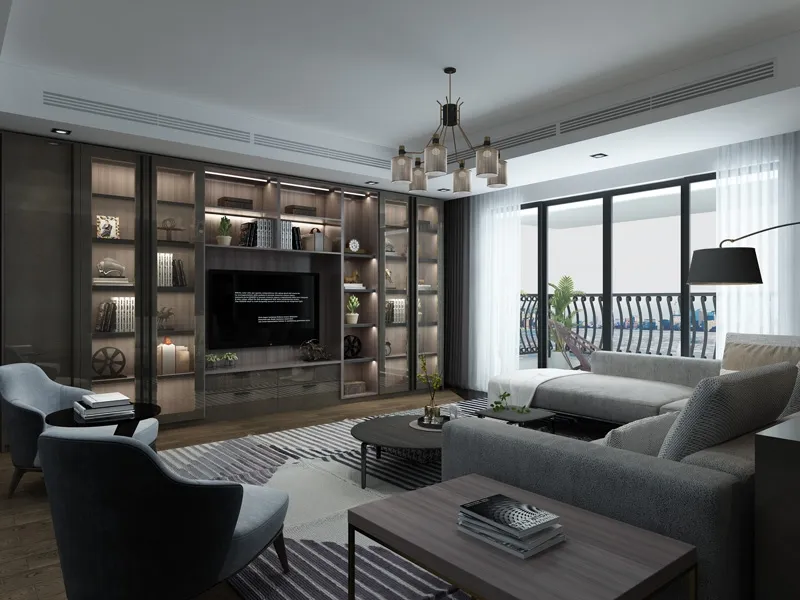
TV cabinets aren't just furniture - they're mission control for your living room. Three key things will make or break your setup:
Cabinet Height: Center of screen should align with eye level when seated. Too high = neck strain. Too low = slumped posture. Average seated eye level is about 42" from the floor.
Wall Relationships: Avoid placing opposite glaring windows. Backlighting creates annoying glare that distracts from your shows. Those decorative flooring choices near the cabinet? Light-reflective tiles make glare even worse at night.
Cable Management: Nothing kills vibes like tangled cords. Use adhesive clips under cabinets or in-wall cord kits. Your walls will thank you.
Living Room Layout Secret: Create an isosceles triangle with your main seating. Distance from TV to each seat should be equal for consistent viewing angles.
Tiny Apartments: Wall-mount with swivel arms that extend when needed, retract when not. Use shallow-depth cabinets (under 12") that hug the wall.
Open Concept Spaces: Define zones with area rugs. Place TV at 45° angle between living/dining areas. For customized furniture installations, floating media units create visual separation.
Awkward Corners: Corner TV stands have come a long way! Look for motorized versions that rotate up to 60° for viewing alignment.
Don't sabotage your setup! Audio and cables matter too:
Sound Systems: Front speakers should flank the cabinet at ear height. Rear speakers? Place slightly above and behind seating.
Future-Proofing: Install conduit pipes behind walls during renovation. This lets you upgrade HDMI cables without demolition later.
Cable Slack Trap: Allow extra cord length behind cabinets (6-12 inches). This makes swapping devices possible without shifting heavy furniture.
Gamer Upgrade: Add 20% extra distance for gaming setups. The wider field of view prevents motion sickness during intense sessions.
Good setups evolve as your space and habits change:
• Re-measure annually: Furniture shifts, chairs get replaced
• Try "TV holidays": Cover it for a week and see where you naturally gather
• Swap bulky speakers for soundbars that fit modern low-profile cabinets
• Watch light patterns: Summer/winter sun changes affect glare positions
• Cord audit quarterly: Remove unused cables cluttering your storage
Getting this right makes movie nights immersive, sports viewing intense, and gaming sessions next-level. Your eyes will thank you, your guests will be impressed, and you'll finally enjoy every frame the way directors intended. Ready to transform that living room?
Recommend Products