
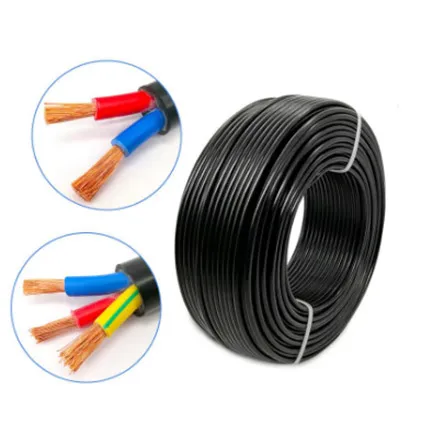
Ever stared at a tangled mess of wires behind your TV or computer and felt completely lost? You're not alone. In our increasingly wireless world, those essential physical connections can seem like ancient mysteries. But here's the secret - understanding cables doesn't require an engineering degree. It's about knowing which wire does what in your daily life.
Whether you're setting up a home office, building a gaming rig, or just trying to connect your printer, knowing your HDMI from your USB-C saves frustration and expensive tech support calls. And let's be real - there's genuine satisfaction in plugging in the right cable on the first try. So let's untangle the confusion together.
This is the rockstar of your entertainment system. HDMI carries both high-definition video and audio through a single cable, eliminating that spaghetti junction behind your TV. From streaming 4K movies to intense gaming sessions, HDMI handles it with flair.
Real life moment: Remember setting up movie night with friends? That crisp picture and surround sound coming through one wire instead of a maze of connections? That's HDMI making your life easier.
Pro Tip: Look for HDMI 2.1 for gaming setups - it supports 4K at 120Hz for buttery-smooth gameplay
| Feature | HDMI 2.0 | HDMI 2.1 |
|---|---|---|
| Max Resolution | 4K @ 60Hz | 8K @ 60Hz / 4K @ 120Hz |
| Special Features | Basic HDR | Dynamic HDR, VRR, eARC |
USB-C feels like magic - one tiny reversible connector that charges your laptop, transfers files, and even connects to monitors. It's the true "one cable to rule them all" solution that keeps evolving. For modern building materials that incorporate smart technology, USB-C has become essential.
Real life moment: That feeling when your phone's about to die at the airport, and a kind stranger offers a USB-C charger that works for both your devices? Priceless relief.
What makes USB-C genuinely different is its versatility. Unlike older USB types, it doesn't care which way you plug it in - no more flipping the connector three times! Plus it's powerful enough to charge laptops yet small enough for smartphones.
While Wi-Fi gets all the attention, Ethernet cables are the unsung heroes delivering stable, high-speed internet. That frozen Zoom call during an important meeting? Probably wouldn't have happened with a wired Ethernet connection.
Pro Tip: Use Cat 6 or higher cables for home offices - they handle higher speeds with less interference
| Cable Type | Max Speed | Best For |
|---|---|---|
| Cat 5e | 1 Gbps | Basic home use |
| Cat 6 | 10 Gbps | Gaming/Streaming |
While HDMI handles your living room, DisplayPort is the choice for serious computer setups. Gamers and creative professionals swear by its ability to push super-high refresh rates and resolutions that HDMI can't match.
Thunderbolt cables look like USB-C because they share the same connector, but don't be fooled - these are Ferrari-level performers. Need to transfer massive 4K video files or connect multiple high-res displays? Thunderbolt handles it effortlessly.
Yes, Bluetooth headphones are everywhere, but that little audio jack is still kicking for good reason. Zero pairing issues, zero battery anxiety, just plug-and-play sound. There's comfort in its simplicity.
For audiophiles chasing perfect sound, optical audio cables deliver pristine digital audio without electrical interference. The slight click when plugging it in feels like sealing your audio in a protective bubble.
We barely notice them until the power goes out. These unsung heroes deliver life to our devices. From the chunky "kettle plug" computer cables to slim USB chargers, they all serve the same vital purpose.
These are the hidden veins inside your computer, connecting hard drives and SSDs to the motherboard. You might never see them, but your computer wouldn't function without these internal connectors.
Meet cable royalty - the VGA connector that ruled the 90s and early 2000s. While now retired from frontline duty, it still occasionally appears on older projectors or monitors. Its distinctive blue connector and screw-in pins feel like connecting with tech history.
New cable technologies are emerging to handle massive data demands. Fiber optic cables promise lightning-fast speeds for tomorrow's applications. While you might not need them today, understanding where connectivity is heading helps future-proof your setup.
Consider how building materials now incorporate connectivity infrastructure - pre-wired homes with fiber optic channels show how cables remain foundational even in our wireless world.
Cables might seem mundane until you need one. Understanding these 10 essential types empowers you to:
Next time you face a cable spaghetti mess, remember - each wire tells a story of connection. And now, you understand the language.
Recommend Products