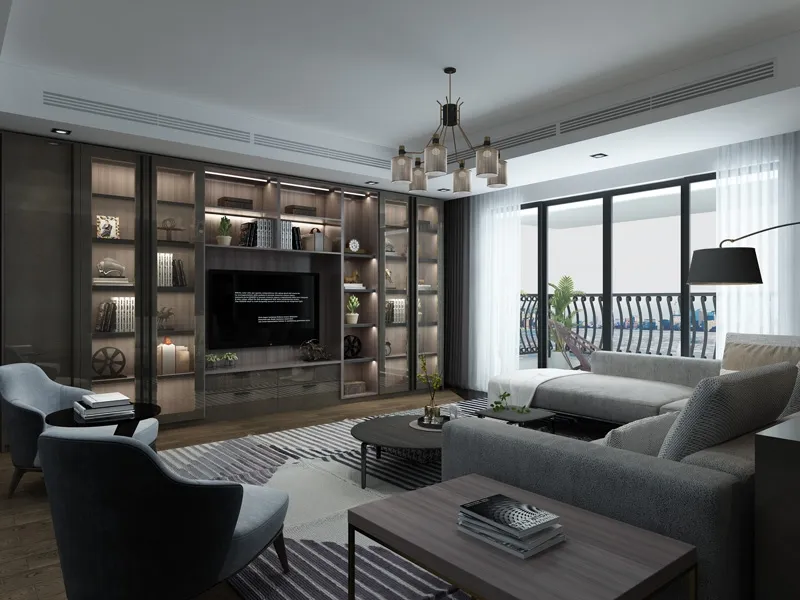
Ever look at that TV cabinet of yours and wonder if it could do more than just hold your screen? That bulky piece of furniture might be your entertainment command center's secret weapon. Most folks underestimate just how versatile these units can be. Think beyond the TV - we're talking game consoles, streaming boxes, soundbars, speakers, and those tangled cables that look like spaghetti at a tech convention.
Picture this: you kick back after a long day, everything within easy reach but visually organized. No more hunting for controllers behind couch cushions or tripping over stray wires. Your TV cabinet could be the sleek, all-in-one hub your entertainment setup desperately needs. Getting there isn't rocket science either - just some practical strategy and a sprinkle of common sense.
Not all cabinet space is created equal. Start by dividing your unit into functional zones based on two things: device requirements and your access frequency. Heat-generating items like game consoles and amplifiers need breathing room - never jam them into enclosed cubbies. Place these in well-ventilated sections, maybe near the back where air can circulate freely.
Top shelves are prime territory for frequently used gear. Controllers, streaming devices, or game discs you swap regularly should live here for easy access. Meanwhile, deeper compartments work well for larger power strips and cable management systems that don't need daily fiddling. Middle shelves? Perfect for that DVR you rarely touch or backup peripherals.
Don't forget vertical space! Many cabinets have wasted areas behind shelves or along the inner sides. This is gold for mounting smaller items like Wi-Fi extenders or USB hubs using adhesive strips or Velcro. It's about working smarter, not harder.
Let's talk about the real beast: cable chaos. Untangling that nest of wires is step one - lay everything out straight first. Color-coded labels work wonders for identifying "power versus HDMI" situations later. A labeling tool like a Brother P-touch makes this foolproof, but masking tape and a Sharpie do the job too.
Cable management sleeves transform a rat's nest into a clean bundle without permanent modifications. For permanent setups, adhesive-backed cable clips keep wires routed neatly along cabinet edges. Another lifesaver: cable raceways mounted to the back of open shelving. They hide bulk while maintaining airflow.
Power distribution is critical. Consolidate cords into a master power strip with surge protection. Some modern strips even offer USB-C ports, eliminating adapters for controllers and headphones. Mount the strip inside the cabinet using industrial Velcro or 3M Command strips for easy access and cleaning.
Your PlayStation or Xbox deserves VIP treatment since it generates serious heat and gets heavy use. Always position consoles horizontally on sturdy, flat surfaces. Skip those tilt-mounted vertical stands unless your model specifically supports vertical orientation - uneven pressure can damage drives.
Leave at least 4-6 inches of clearance on all sides, especially vents. Gaming means these machines work HARD - let them breathe! Some users add quiet USB-powered fans to exhaust hot air if cabinetry feels tight. Remember, heat kills electronics faster than anything else.
Controller storage is key. Mount charging stations on cabinet doors using adhesive strips, or keep controllers in slide-out drawers below the console. This keeps everything accessible but invisible during movie time. Keep a microfiber cloth nearby for impromptu dusting sessions during loading screens.
Speakers and soundbars bring acoustic magic but pose placement puzzles. For soundbars under TVs, choose slim-profile units that don't block screens. If your cabinet has mesh-front doors, you can place speakers inside while maintaining sound quality. Glass doors? Sound will get muffled - keep speakers outside on top.
Surround speakers pose challenges in tight spaces. Compact satellite speakers mounted on wall brackets near the cabinet maximize impact without clutter. Subwoofers are the lone wolves - place these on the floor away from walls for richer bass. Anti-vibration pads underneath prevent annoying rattles through furniture.
Wireless systems help immensely but still need power cables. Bundle these neatly behind the cabinet with cord organizers. Label power adapters to avoid confusion during setup or troubleshooting.
Streaming sticks and boxes are tiny but essential. Mount these behind your TV using double-sided tape for infrared sensor visibility. Fire TV Cubes and Apple TVs may need front-facing placement depending on remote technology. Label remotes clearly - "Roku vs. Apple" avoids confusion during Netflix sessions.
Legacy devices like DVD players still earn their keep. Store discs vertically in magazine-style holders rather than stacked jewel cases. Keep lens-cleaning discs accessible to maintain playback quality. For retro gamers using classic consoles, consider displaying these in acrylic cases for protection if cabinet space allows.
Cables for older systems often need adapters. Group these together in labeled zipper bags stored alongside consoles. A little organization here avoids frustrating setup delays when nostalgia strikes.
Kids and pets introduce chaos variables. Use cabinet doors to conceal tempting wires and place breakables higher up. Magnetic child locks are great deterrents but don't obstruct airflow when closed. For dust-prone homes, consider stick-on air filters over rear vents for easier cleaning.
Make technology seasonal. Swap out devices you won't use for months (like holiday gaming accessories) to free up space. Store them in labeled bins elsewhere. Lightweight LED strip lighting installed inside cabinets makes finding ports easier without blinding glare during dark viewing sessions.
Lastly, embrace flexibility. Your needs will evolve. Modular storage bins, adjustable shelves, and velcro mounting solutions let setups grow without complete reorganizations every few months. Remember: the goal is making technology serve you, not becoming its servant.
Transforming your TV cabinet into a command center boils down to three principles: accessibility, visibility, and breathability. When all components have room to operate and cables stay disciplined, your entertainment experience shifts from functional to fantastic.
Start small - tackle cable management this weekend. Then layer improvements gradually. Within weeks, you'll have a sophisticated tech hub that looks tidy while delivering seamless entertainment. Your future self will thank you during movie night, when everything just... works. That peace of mind? Worth every minute of setup effort.
Recommend Products